How to Trade Crypto Fast as a Complete Beginner
Trading cryptocurrency can seem daunting, but with the right exchange and a basic understanding of trading screens, you can make your first trade in minutes. This guide walks you through choosing an exchange, depositing funds, navigating trading screens, and buying or selling crypto—perfect for complete beginners.
Step 1: Choose a Reputable Exchange
To start trading, select a trusted centralized exchange. These platforms allow you to deposit fiat currency (e.g., USD, EUR), trade for crypto, and withdraw funds back to your bank account. Top exchanges include:
- Binance
- OKX
- Bybit
- Crypto.com
- Coinbase
Each exchange has similar features but varies in trading fees and fiat onramps (deposit/withdrawal options) based on your region. Research fees and availability in your country to pick the best one. For deposit and trading bonuses, check official exchange links or referral programs.
Tip: Stick to top-tier exchanges to ensure security and reliability.
Step 2: Sign Up and Deposit Fiat Currency
Before trading, you need to fund your exchange account:
- Sign Up: Create an account on your chosen exchange. Complete Know Your Customer (KYC) verification by submitting an ID, passport, and possibly proof of address.
- Access Your Wallet: Go to the Wallet section to view supported assets (e.g., USD, EUR).
- Deposit Fiat:
- Select your currency (e.g., USD).
- Choose a deposit method (e.g., bank transfer via SEPA for EUR or SWIFT for USD).
- Use your bank or fintech apps (e.g., Wise, Revolut) to transfer funds.
- Follow the exchange’s instructions to send the exact amount with the provided reference.
Deposits may take a few hours to process, depending on the method.
Step 3: Navigate the Trading Screen
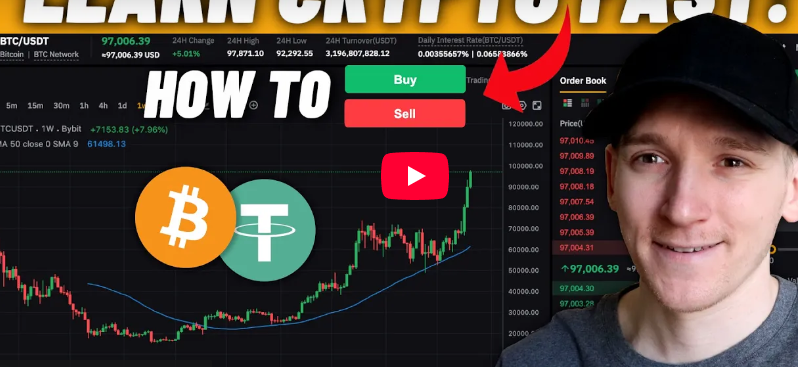
All major exchanges use similar spot trading screens, featuring:
- Chart: Shows price movements of the selected trading pair.
- Order Book: Lists buyers (bids) and sellers (offers), with prices and quantities.
- Buy/Sell Panel: Where you input your trade details.
To trade, select a trading pair (e.g., BTC/EUR or BTC/USDT). The pair indicates what you’re trading:
- BTC/EUR: How many Euros to buy one Bitcoin.
- BTC/USDT: How many USDT (a USD stablecoin) to buy one Bitcoin.
Example:
- BTC/EUR = €89,500 (1 BTC costs €89,500).
- BTC/USDT = $94,300 (1 BTC costs $94,300 USDT).
Choose the pair matching your deposited currency or a stablecoin like USDT for more trading options.
Step 4: Buying Crypto
You can buy crypto using market or limit orders.
Option 1: Market Order (Fast and Simple)
A market order buys crypto instantly at the best available price:
- Go to Trade > Spot Trading.
- Select the trading pair (e.g., BTC/USDT).
- Choose Buy and select Market Order.
- Enter the amount to spend (e.g., 20 USDT).
- Tap Buy BTC and confirm.
The exchange matches your order with the lowest seller’s price (e.g., $94,300 per BTC). Your BTC appears in your wallet immediately, but you don’t control the exact price.
Option 2: Limit Order (More Control)
A limit order lets you set a specific price:
- Select Limit Order.
- Enter your desired price (e.g., $93,000 per BTC).
- Specify the amount (e.g., $30 worth of BTC).
- Tap Buy BTC and confirm.
If your price is below the market (e.g., $94,500), the order waits in the order book until a seller matches it. If the market price drops to $93,000 or below, your trade executes. You can cancel or edit the order anytime.
Note: Setting a limit price above the market (e.g., $96,000) acts like a market order, executing instantly at the best available price.
Step 5: Selling Crypto
Selling is the reverse process:
- Select the trading pair (e.g., BTC/USDT).
- Choose Sell and pick Limit or Market Order.
- For a Limit Order:
- Set your price (e.g., $100,000 per BTC).
- Enter the quantity to sell.
- Tap Sell BTC.
- If your price is above the market (e.g., $94,500), the order waits until the market rises or a buyer matches it.
- For a Market Order, sell instantly at the best bid price.
To withdraw to fiat, sell to a fiat pair (e.g., BTC/EUR), then withdraw to your bank account via the wallet section.
Step 6: Withdrawing Funds
To move funds back to your bank:
- Go to Wallet > Select your fiat (e.g., EUR).
- Tap Withdraw.
- Enter your bank details and the amount.
- Confirm the transaction, noting any withdrawal fees.
For crypto withdrawals to another wallet, select the crypto, paste the destination address, choose the network, and confirm.
Tips for Beginners
- Compare Fees: Check trading and withdrawal fees for each exchange to save money.
- Start Small: Practice with small trades to learn the platform.
- Use Stablecoins: Trading against USDT or USDC unlocks more pairs.
- Monitor the Order Book: Understand bids and offers to time your trades.
- Secure Your Account: Enable two-factor authentication (2FA) and store recovery details safely.
Conclusion
Crypto trading is accessible with a reputable exchange and a basic grasp of market and limit orders. By choosing a platform like Binance, OKX, or Coinbase, depositing fiat, and navigating the trading screen, you can buy and sell crypto confidently. For deeper insights, explore free trading courses or tutorials online.
Ready to trade? Sign up for an exchange, claim deposit bonuses, and make your first crypto trade today!


Post Comment